

 SamsungLaura
- Mark as New
- Bookmark
- Subscribe
- Subscribe to RSS Feed
- Permalink
07-08-2021 03:30 PM (Last edited 06-14-2022 09:30 AM ) in
Tips & Tricks
Welcome to our new segment, [Moderator's Choice] where we get to highlight some of our team's favourite Galaxy features that you might not know of.
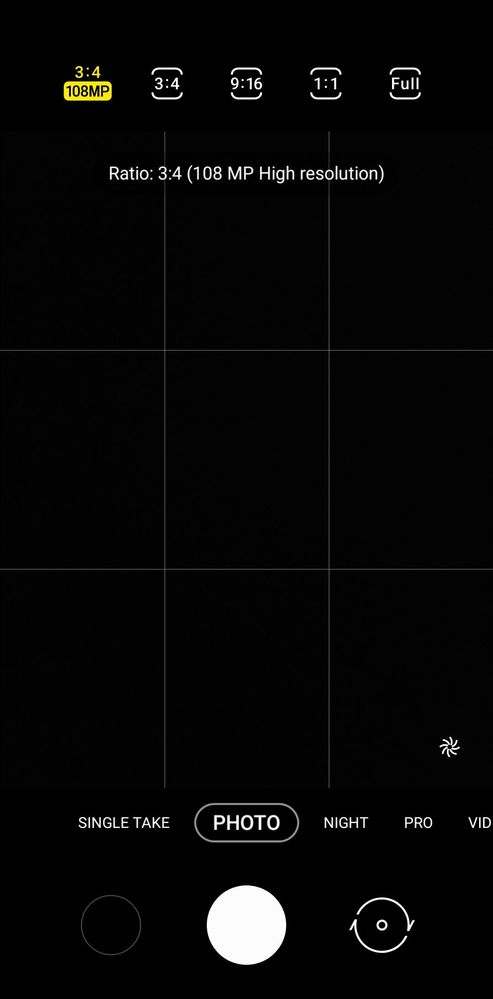
This month's personal favourite is the 64mp and 108mp camera sensors available on selected Galaxy S and Galaxy A series models which can be found in the Camera app.
By default, your phone will stick to the 'main' camera resolution to save your internal storage, as 64mp and 108mp photos can use up quite a lot if used all the time.
To switch between these modes, click on the [3:4] aspect ratio in the top.
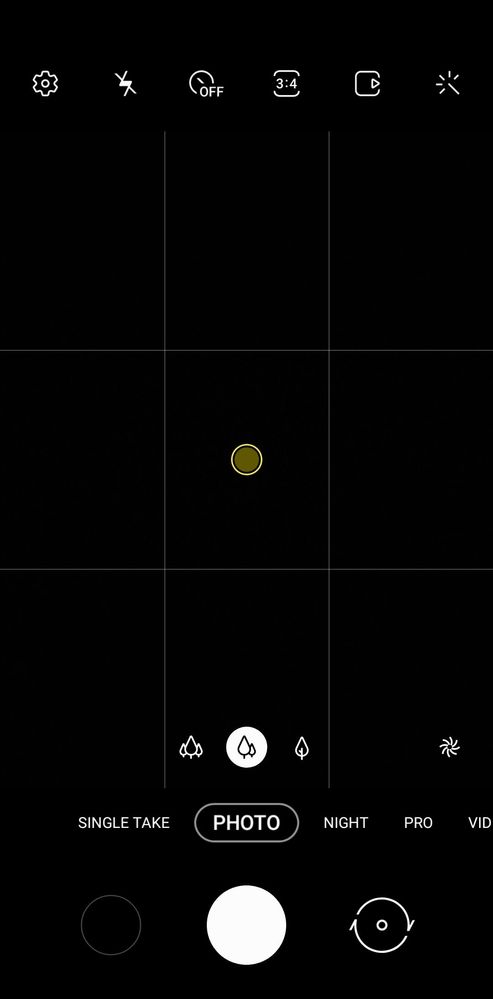
From here, the highest resolution can be seen on the left, with the 108mp sensor on my Note 20 Ultra. Some models may have the 64mp camera instead such as the S21, and S21+.
Pro Tips:
1. Take the photo first and zoom/crop in Gallery to maintain the picture quality. Zooming in while using the camera may stretch the photo.
2. Keep your hand steady while taking photos in this mode, as it can take a bit longer than usual to process that large of a photograph!
3. Share your best shots in our Galaxy Gallery, or this month's Contest.
Solved! Go to Solution.
- « Previous
-
- 1
- 2
- Next »

- Mark as New
- Subscribe
- Subscribe to RSS Feed
- Permalink
- Report Inappropriate Content
07-11-2021 02:41 PM in
Tips & Tricks
- Mark as New
- Subscribe
- Subscribe to RSS Feed
- Permalink
- Report Inappropriate Content
07-11-2021 02:41 PM in
Tips & TricksI want to know everything about what the camera can do on my s21ultra 5g 👌😊

- Mark as New
- Subscribe
- Subscribe to RSS Feed
- Permalink
- Report Inappropriate Content
07-16-2021 03:47 PM in
Tips & Tricks
- Mark as New
- Subscribe
- Subscribe to RSS Feed
- Permalink
- Report Inappropriate Content
08-31-2021 01:06 PM in
Tips & Tricks
- « Previous
-
- 1
- 2
- Next »
